
Workspace for Team Collaboration
Collaborate with your team and manage QR codes together in shared workspaces
Team Collaboration
Create shared workspaces for your team. Invite members and work on QR codes together.
Access Management
Assign roles to members: owner, administrator, or member. Control who can create and edit QR codes.
QR Code Organization
Group QR codes by workspaces. Easily find and manage QR codes created by your team.
Business Feature
Workspaces are available for Business and Business Plus subscribers. Upgrade your plan to unlock this feature.
How It Works
Create a Workspace
Go to Dashboard → Workspaces and create a new workspace. Enter name and description.
Invite Members
Add members to your workspace by sending them an email invitation. They will receive a notification and can join.
Assign Roles
Set roles for each member: owner, administrator, or member. Each role has its own access rights.
Create QR Codes Together
When creating a QR code, select the workspace. All members will be able to see and manage QR codes in the shared space.
Roles and Access Rights
Owner
- Full control over the workspace
- Manage members and their roles
- Create and edit QR codes
- Delete workspace
- Manage subscription
Administrator
- Manage members (except owner)
- Create and edit QR codes
- View analytics
- Manage workspace settings
Moderator
- Notifications about QR codes in the workspace
- Create and edit QR codes and short links
- Cannot delete QR codes or short links
- View analytics
Member
- Create and edit QR codes
- View analytics
- View member list
Requirements
- Business or Business Plus subscription
- WebQR account
- Member email addresses for invitations
Frequently Asked Questions
On the Business plan you can create up to 3 workspaces. On Business Plus — up to 20.
The number of members depends on your plan. See the pricing page for details.
Yes, you can change the workspace for a QR code when editing it, if you have the appropriate access rights.
When a workspace is deleted, all QR codes created in it will be moved to your personal space.
Yes, you can be a member of an unlimited number of workspaces, even if you are not their owner.
Workspaces by plan
The number of workspaces depends on your plan. With Business and Business Plus you can create teams.
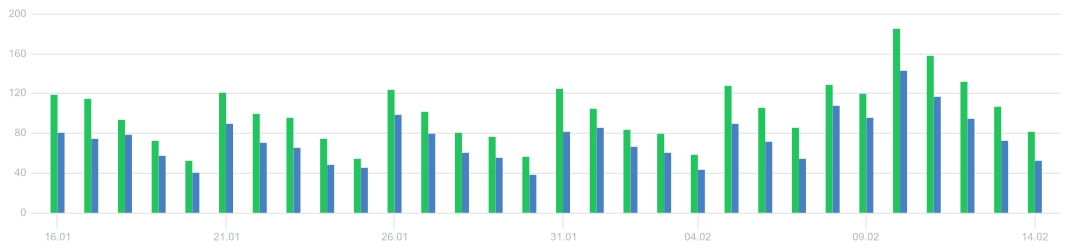
View analytics demo
Not enough scans yet? View our demo page with full analytics: charts, geography, devices, browsers. No registration required.
Learn more about other features
Choose a section and find out more
Ready to Get Started?
Upgrade to Business or Business Plus and start using workspaces for team collaboration today!