
Event tracking
Event tracking records clicks on links and buttons in your QR code—not just scan counts. See what engages your audience and improve content based on real data.

Benefits
Event tracking with QR codes gives you a detailed view of user behavior. By recording every click on links or buttons in a QR code, you learn which parts of your digital content attract your audience most. That data helps you adjust campaigns and content to maximize engagement and message effectiveness—and personalize interactions so each experience stays relevant and meaningful.
-
Understanding and personalizing user behavior: Knowing which links or buttons users tap gives you insight into their interests and preferences, so you can build richer profiles and segment your audience more effectively. Understanding behavior helps you anticipate needs and offer personalized recommendations for a more engaging experience that boosts satisfaction.
-
Campaign efficiency optimization: With accurate engagement data, you can see which campaign elements draw the most attention. That lets you refine strategies—improve popular content, route traffic to key pages, or highlight offers and promotions—so decisions maximize impact and marketing effectiveness.
-
Measuring effectiveness: Measure campaign performance in real time and quickly see what works and what needs adjustment. Track metrics such as click-through rate and interaction time, evaluate tactics, and spot patterns and trends to improve future campaigns.
-
Saving time and resources: When you know what works, you can focus effort and resources where it matters and avoid ineffective tactics. That cuts operational cost and improves overall marketing efficiency—prioritizing high-impact actions and optimizing budget and time.
With this feature you track not only how often your QR codes are scanned but also get a detailed picture of how users interact with your content—essential for any successful marketing strategy.
How to use
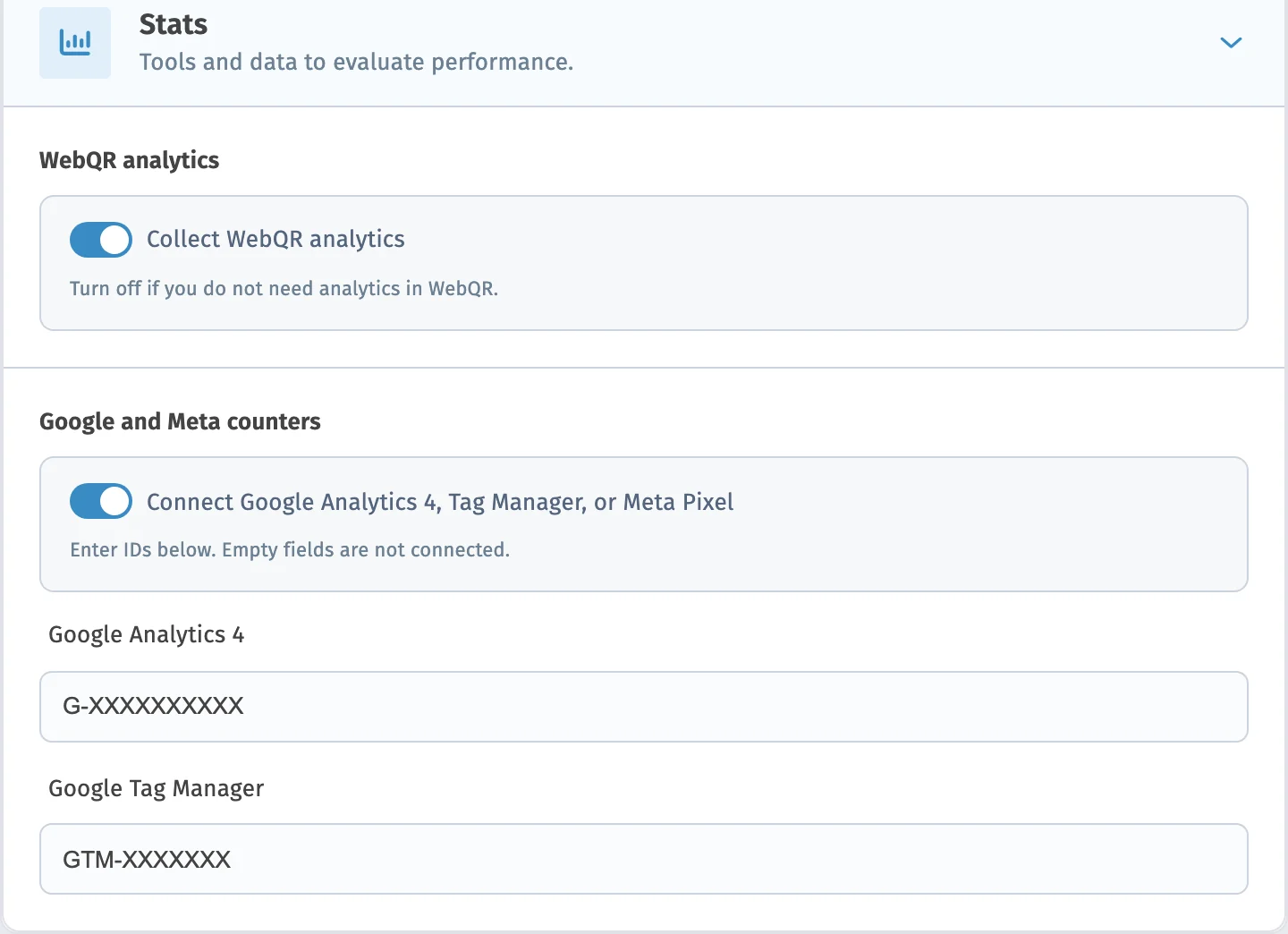
To start collecting clicks on QR links and buttons in your code, enable the feature as follows:
-
Choose the QR type you want to create or edit.
-
On step 2 of QR creation, in “Content”, open the “Statistics” tab.
-
On the “Statistics” tab, select tracking analytics and turn on the “Event tracking” switch.
-
Finish creating the QR code as usual.
From then on, QR codes with this feature enabled will collect clicks on links and buttons in their content.
To see how many clicks have been recorded so far and on which buttons, follow these steps:
-
In “My QR”, find the QR code whose events you want to view.
-
Click: Details the button on the right of the QR code row.
-
Scroll down to the “Events” tab.
-
Open it to see the list of buttons and links that were clicked.
You can also access event visualization from “Statistics”:
-
Open “Statistics” and select the QR codes you want in the “QR code” selector.
-
Scroll down to the “Events” tab.
-
Open it to see the list of buttons and links that were clicked.
Remember that the latest events may take a few minutes to appear.
When this feature is enabled, you can see how your QR codes engage your audience. Review recorded events regularly to optimize strategies and deliver an exceptional user experience.
Learn more about other features
Choose a section and find out more
Ready to track QR clicks?
Create a dynamic QR code and enable event tracking on the Statistics tab
Starter — free forever No credit card Cancel anytime