
Geolocation QR Code: Open Your Location in Maps with One Scan
How to create a static Geolocation QR code in WebQR: enter GPS coordinates, check the preview and let people open your entrance, parking or venue in maps with one scan.
A guest who can't find your door, a driver looking for the parking entrance, a group heading to a venue — all of them want the exact spot on a map, not a street name to type. A static Geolocation QR code in WebQR does exactly that: one scan, and the point opens in a maps app. We'll use a demo café, Aurora Café, with the coordinates of Freedom Square in Tbilisi.
Where a location code helps
- On the door or the sign — so people can find and share the exact entrance.
- At the parking or a back entrance that maps usually get wrong.
- On invitations, flyers and tickets for a venue.
- In guesthouses and rentals — "how to find us" for arriving guests.
Step 1. Choose Geolocation
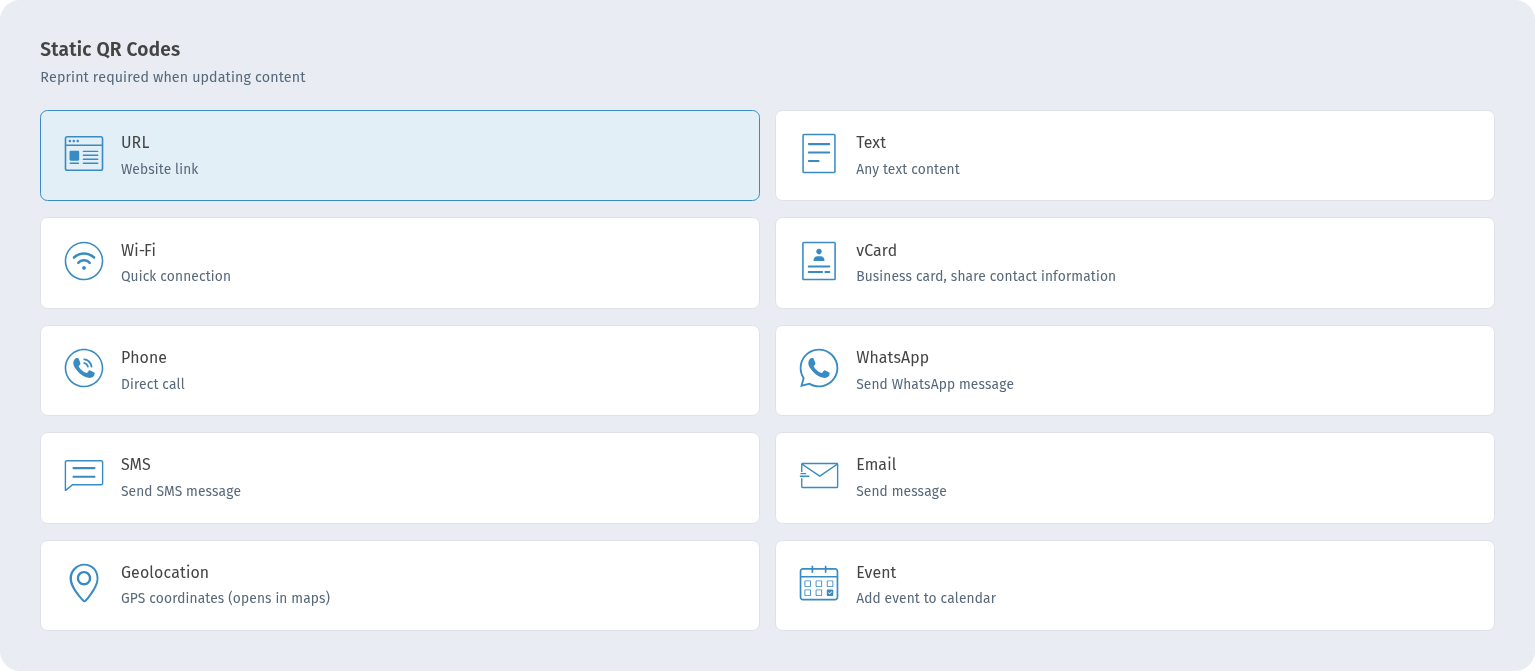
In My QR codes click Create at the top right. In the Static QR Codes section choose Geolocation (GPS coordinates (opens in maps)) and click Continue.
Step 2. Copy the coordinates from Google Maps
The form works with coordinates only — there is no address search or map to click on. The easiest way to get the numbers is Google Maps:
- On a computer: right-click the exact spot on the map. The first line of the menu shows the coordinates, for example 41.6934, 44.8015 — click it and they are copied.
- On a phone: long-press the spot until a pin appears. The coordinates are shown in the search bar or in the card at the bottom — tap them to copy.
Choose the spot carefully: the entrance or the parking gate, not the middle of the building.
Step 3. Enter the coordinates
On the Information step, in Basic information, the fields come with sample values — replace them with yours. Put the first number in Latitude and the second in Longitude, with a dot as the decimal separator. For the demo we used 41.6934 and 44.8015.
Label (optional) is a note for you, for example "Main entrance". It is not encoded in the QR code, so it does not appear in the maps app — only the point itself does.
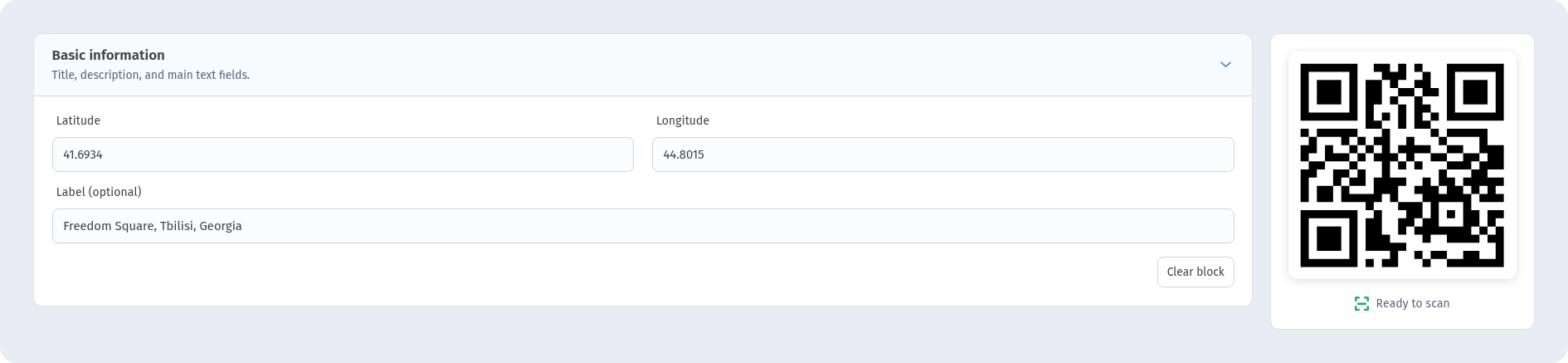
Clear block empties the fields. The preview on the right shows the code and Ready to scan.
Step 4. Name, design and save
On the Settings step give the code a name in QR Code Name (we used "Aurora Geo Demo") and pick a Folder if you like. On the QR design step keep dark dots on a light background and check that the preview still shows Ready to scan. Click Create — the code is saved in My QR codes, where you can download it.
What people see after scanning
The code contains just the coordinates. After scanning, the phone offers to open them in a maps app, which shows a pin on that spot, ready for directions. How the prompt looks depends on the phone and camera app, so test the code on both Android and iPhone before printing.
Static: a new place means a new code
The coordinates are stored in the pattern itself. If you move, create a new code and reprint it — see Static vs dynamic QR codes.
When you need more than a pin
If guests also need opening hours, a phone number and links, use a Business QR code: its page has the address and a Show on map link.
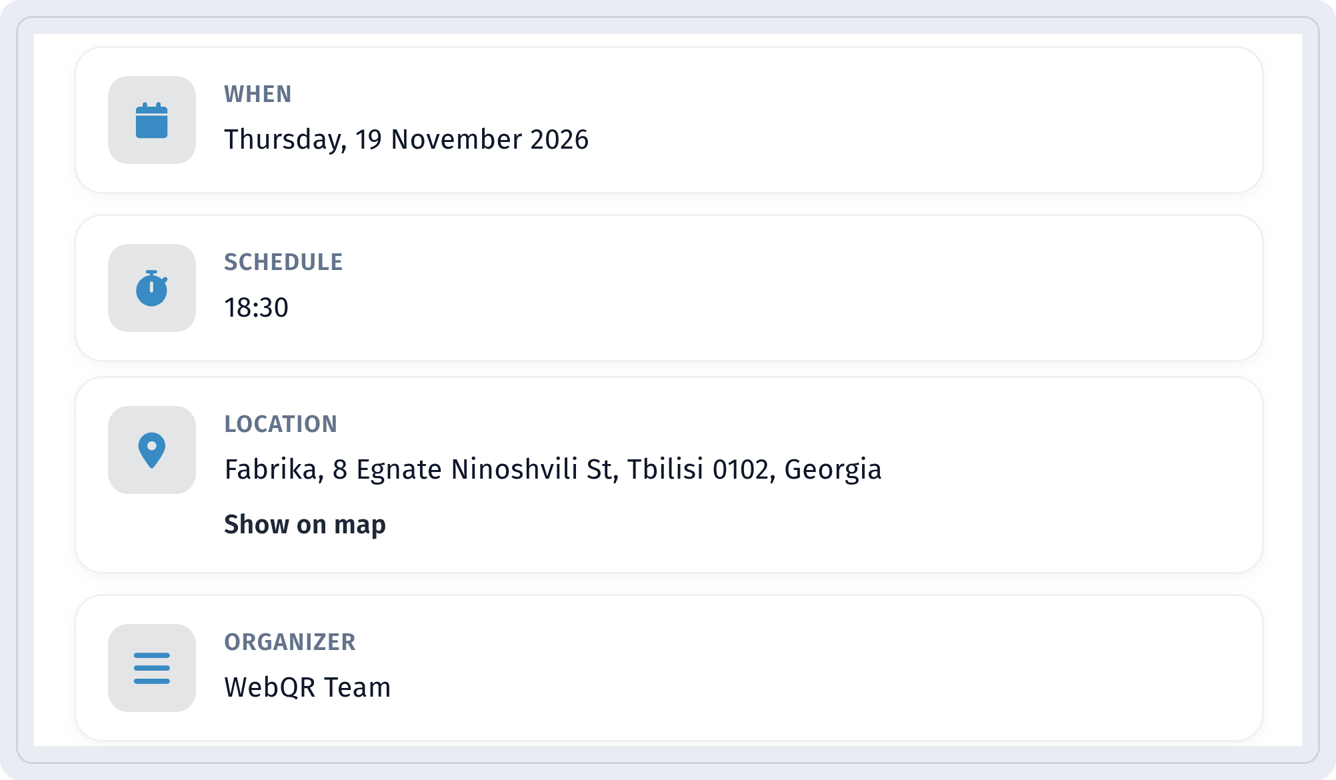
For a one-time event, an Event QR code shows the date, schedule and the venue with Show on map.
Ideas for guesthouses and tours: QR codes for real estate and tourism in Georgia.
Checklist
- Coordinates copied from the exact entrance, not the building centre.
- Latitude first, longitude second, dot as the decimal separator.
- Sample values in the form replaced with your own.
- Scan the code on Android and iPhone before printing.
- Add a short call to action under the code, e.g. "Scan for directions".
- Print large enough and with good contrast — see How to print QR codes and QR code not scanning.
FAQ
Can I search by address? No, the form takes coordinates. Copy them from Google Maps as shown above.
Will the label show on the map? No. Only the coordinates are stored in the code; the label is not encoded.
Which maps app opens? One of the map apps on the phone — usually the default one, or the one the person chooses.
Can I change the location later? Not for a static code — create a new one.
Does the guest need a special app? No, the phone camera and a maps app are enough.