
Instagram QR Code: Turn Visitors into Followers with One Scan
How to create a dynamic Instagram QR code in WebQR, when to use Social or Links instead, change your profile later without reprinting and see scans.
A code on the counter, the menu or a takeaway bag that takes people straight to your Instagram is the simplest way to turn visitors into followers. WebQR has a dedicated dynamic Instagram type for exactly that: the guest scans and lands on your profile right away, with no extra page in between. We'll use a demo café, Aurora Café, and the public account instagram as the example.
Instagram, Social or Links?
In the Dynamic QR Codes section there are three types that are easy to confuse:
- Instagram (Link to Instagram profile) — one code, one profile. The scan opens the profile directly.
- Social (Links to social networks) — a WebQR page with all your networks.
- Links (Multiple links) — a WebQR page with any buttons: menu, booking, delivery, Instagram.
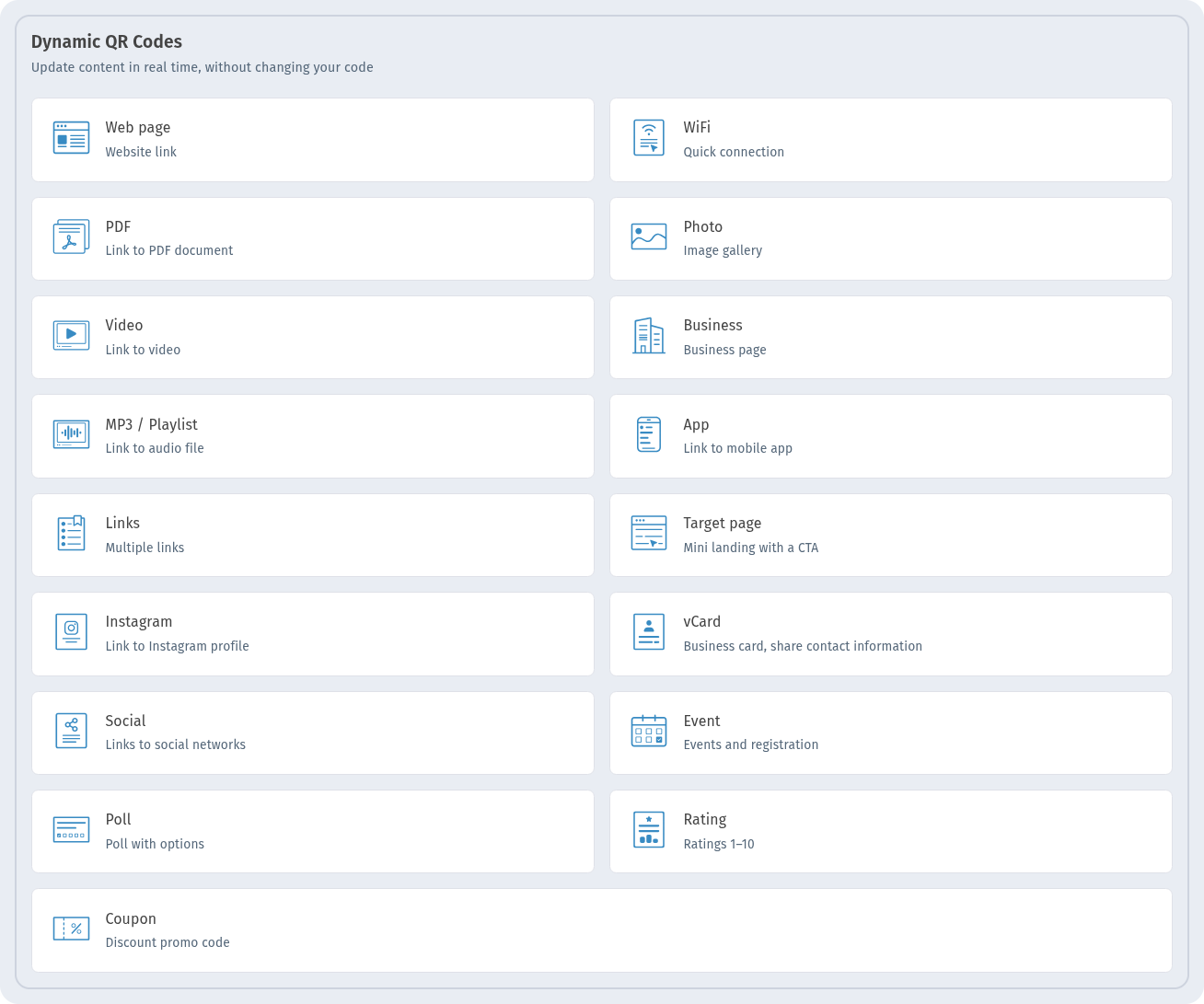
If Instagram is the only place you want people to go, choose Instagram. For several networks see Social media QR codes; for a mix of links see Links page QR code.
Step 1. Choose the type
In My QR codes click Create. In Dynamic QR Codes choose Instagram and click Continue.
Step 2. Enter the username
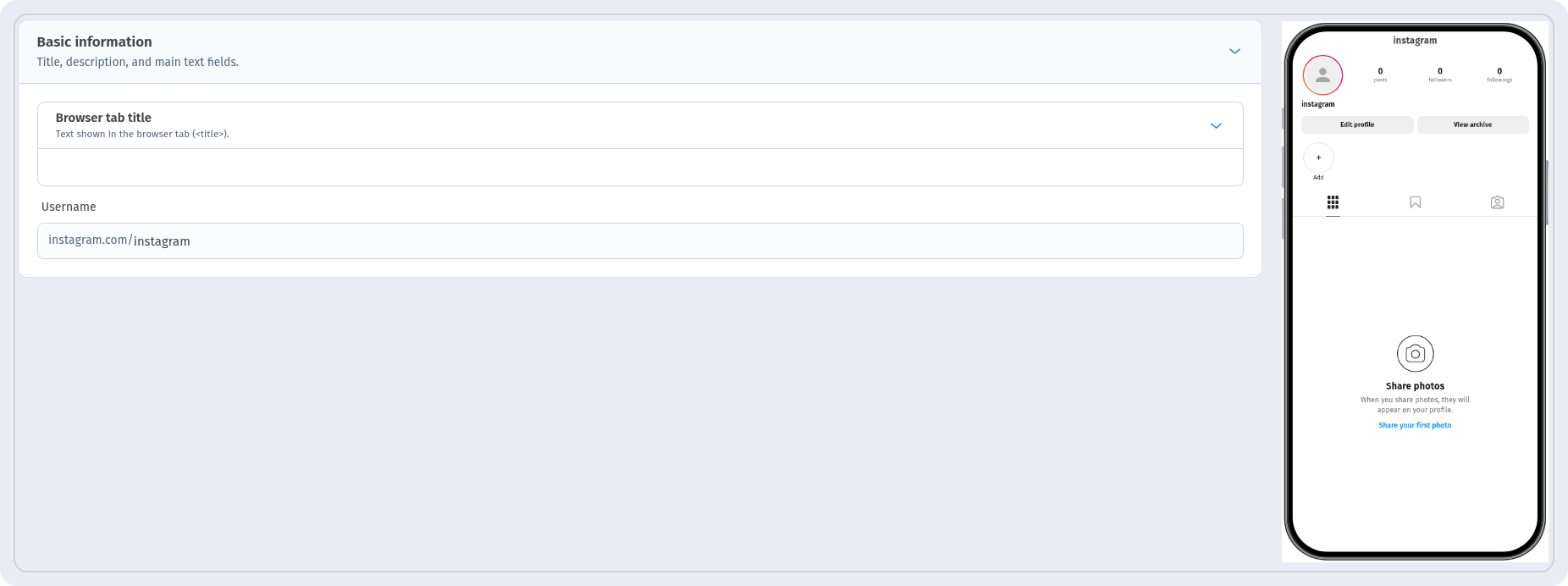
On the Information step, in the Basic information block, type your account name in the Username field. The instagram.com/ part is already there, so enter only the name itself, without "@" and without the full link: for example, instagram. Only Latin letters, digits, dots and underscores are accepted, no spaces. The phone preview on the right shows the profile card for this name.
Step 3. Name and design
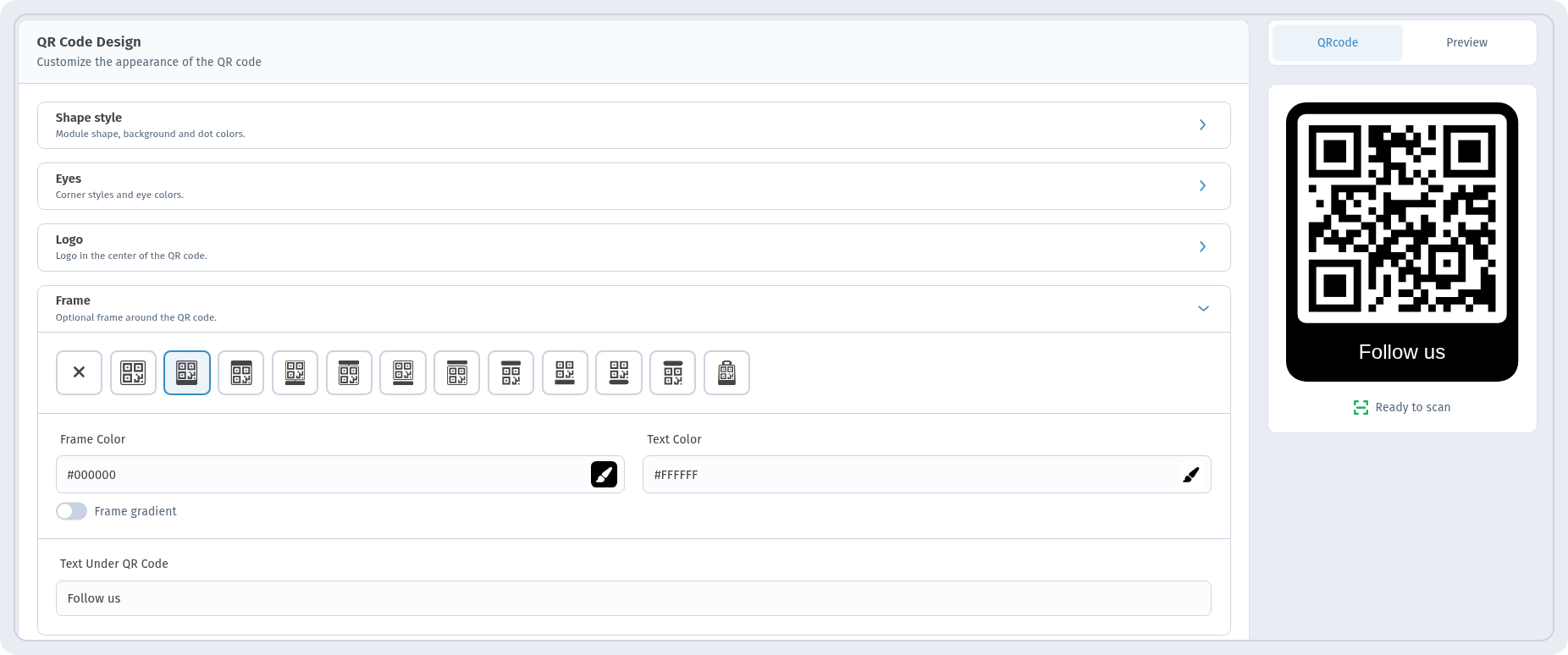
On Settings give the code a name in QR Code Name, for example "Aurora Instagram Demo", so you can find it in the list later. On QR design open Frame, choose a frame with a label and write a short call to action in Text Under QR Code, for example "Follow us". Check that the preview shows Ready to scan and click Create.
What people see after scanning
The code opens the Instagram profile directly: the phone goes from the short link straight to instagram.com/your-name. There is no WebQR page and no extra button to tap: the guest sees your profile, posts and bio right away.
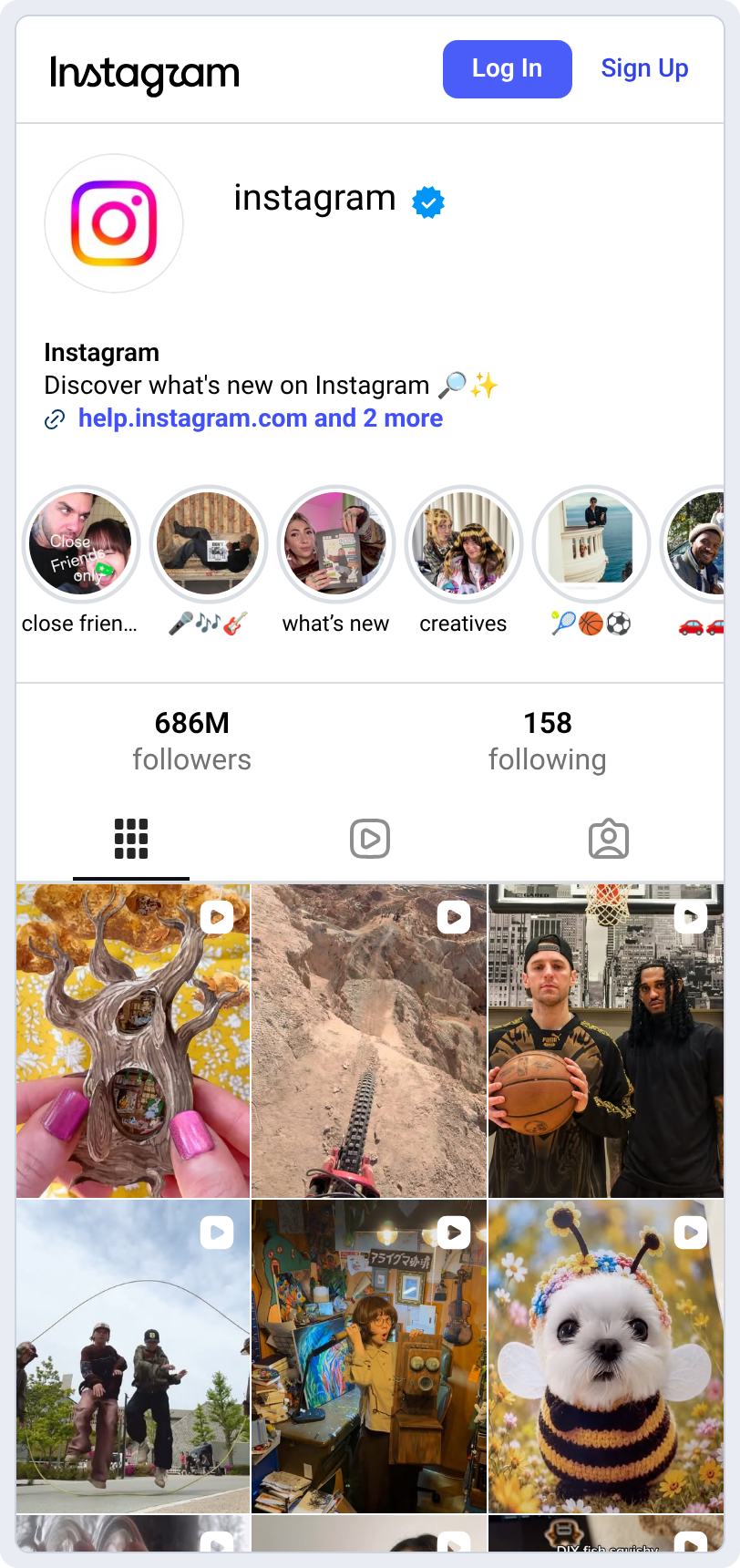
The profile is shown by Instagram itself, in Instagram's design and language.
Changed your username? Keep the print
The code is dynamic: the printed pattern leads to a short link, and the username behind it can be changed at any time in the code's editor. Stickers, menus and table tents stay as they are. More in Edit a QR code after printing and Static vs dynamic QR codes.
How many people scanned
The new code appears in My QR codes with the Dynamic and Instagram tags, its short link and the SCANS counter. Click View Analytics to see scans by date — see QR code analytics.

Where to put the code
- At the till and on table tents: "Follow us" while guests wait for their order.
- On takeaway bags, cups and packaging — see QR codes on packaging and labels.
- In shop windows and on price tags — see QR codes for retail stores.
Checklist
- One profile → Instagram; several networks → Social; mixed buttons → Links.
- Username without "@" and without the link.
- A short call to action next to the code ("Follow us").
- Check Ready to scan and test with your phone before printing — see How to print QR codes.
FAQ
Does the guest need a special app? No. Any phone camera reads the code, and the profile opens at instagram.com. If the Instagram app is installed, the phone may offer to open the profile there.
Can I switch the code to another account later? Yes. Change the username in the code's editor — no reprint needed.
Can I add Facebook or TikTok too? Not in this type: it leads to one Instagram profile. For several networks use Social.